Temporarily unstable
Temporarily unstable
Nenolink AI Marker is currently being expanded with support for document formats.
The currently released version supports images and video.
PDF and PowerPoint / Slides support is being prepared for the next release and is not yet part of the current production version.
Current version: Images and video
Coming next: PDF and PowerPoint / Slides
Add clear AI disclosure labels to images, videos, PDFs and PowerPoint presentations. Choose exactly where the marker should appear, add your own logo, and include machine-readable disclosure metadata. Nenolink AI Marker works locally on your Windows computer, so your files do not need to be uploaded to a cloud service.
One-time purchase · Windows · Local processing
Images / Video · PDF · PowerPoint / Slides 12 languages
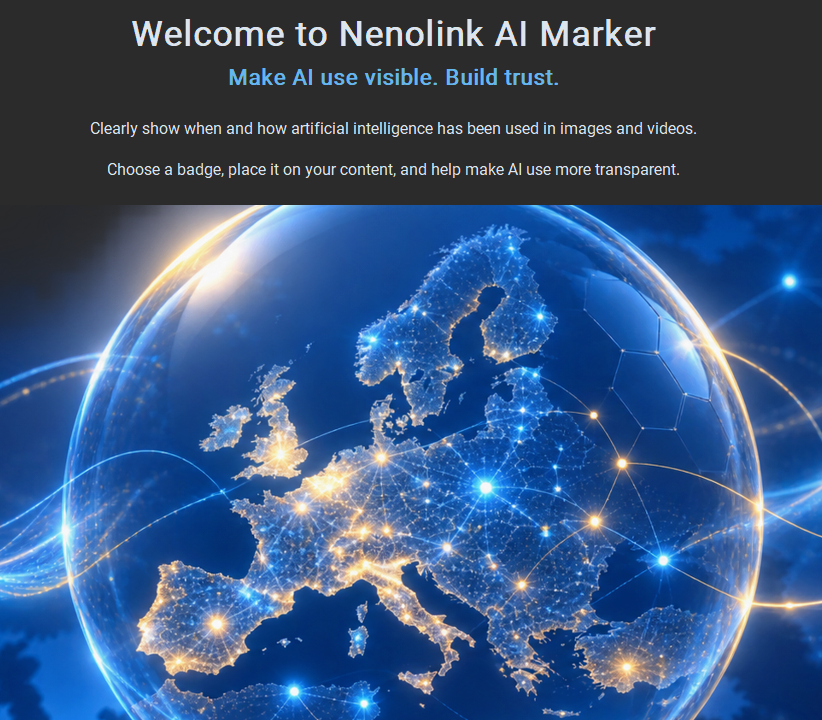
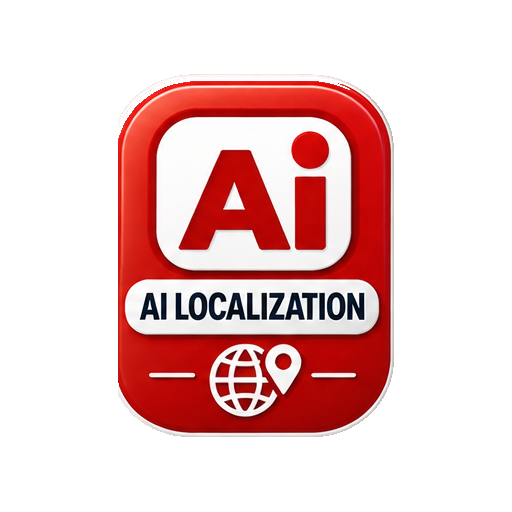
Clearly communicate AI involvement with a visible marker on your content.

Add your own logo alongside the AI marker for clear and professional identification.

Process your files locally on your Windows computer. No cloud upload is required.
AI can be a valuable tool for creating, analysing, translating, developing and communicating. The important question is not simply whether AI has been used, but how it has been used and how openly this is communicated.
Nenolink AI Marker provides a practical way to disclose AI involvement in digital content. A visible marker can inform people directly, while disclosure metadata can provide additional machine-readable information.
The tool can support organisations, freelancers and creators working with AI policies, transparency procedures and documentation requirements.
It can also help establish a consistent way of communicating AI use across different types of content.
AI Marker supports transparency and documentation. It does not certify content, prove authorship or by itself guarantee compliance with the EU AI Act or other legislation.
Responsible AI use is more than a label. It also includes human review, verification of information, appropriate data handling, testing and clear responsibility for the final result.
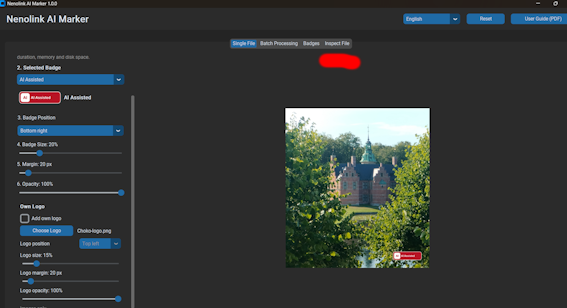
Nenolink AI Marker provides a simple workflow for adding visible information about AI use to digital content.
Add an AI marker to images, videos, PDF documents and PowerPoint presentations. Choose where the marker appears, adjust its appearance, add your own logo, and save the result as a new file while preserving the original.
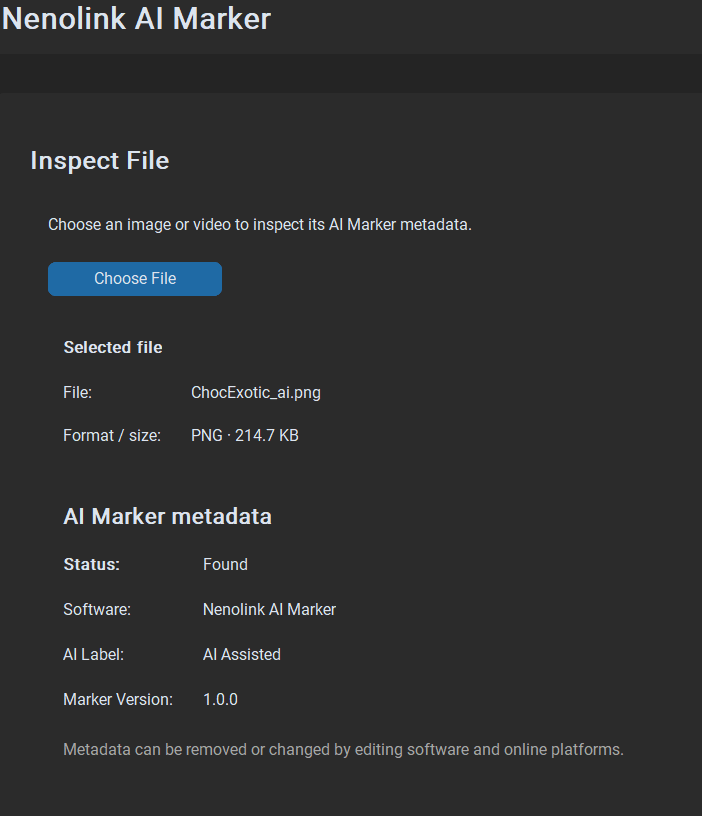
Machine-readable disclosure metadata can be added alongside the visible marker, and previously marked files can be inspected directly in AI Marker.

You can read the pdf file before working (button upper right) or simply try some experiments.
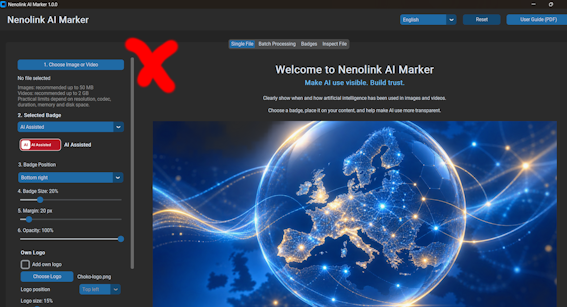
Choose an image, video, PDF or PowerPoint presentation to mark.

Select the label that best describes how AI was used.
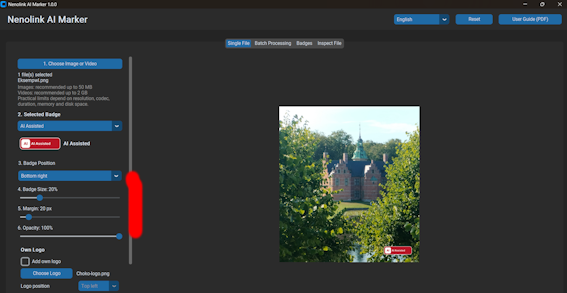
For PDF and PowerPoint, choose one page or slide, selected items, a range or all.
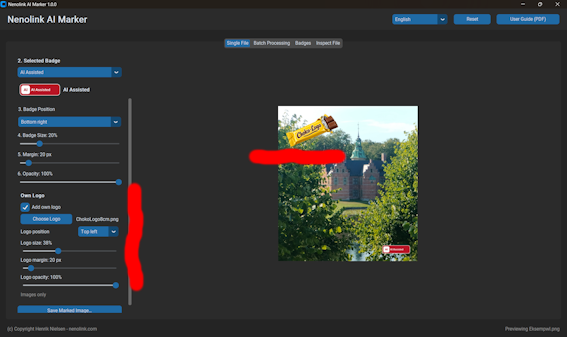
Choose position, size, margin and opacity. Add your own logo if required.
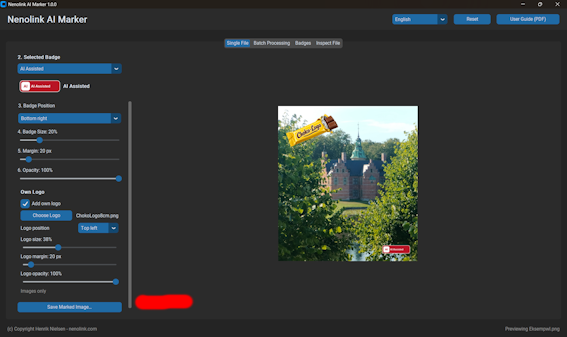
Check the result, then save it as a new marked file. Your original remains untouched.
Check AI Marker disclosure metadata in supported previously marked files.


Clearly indicate content created without AI.Sample text. Click to select the Text Element.
An AI disclosure badge and your own logo serve different purposes.
The AI badge communicates how AI was involved in the content. Your logo identifies your organisation, company or brand.
Nenolink AI Marker lets you control them independently, including their position, size, margin and opacity.


Nenolink AI Marker can add machine-readable disclosure information alongside the visible marker.
Depending on the file format, this can include information such as:
Software: Nenolink AI Marker
AI disclosure: AI Assisted
Marker version: 1.0.3
Marked: date and time
Disclosure language: English
The Inspect File function lets you review supported AI Marker metadata in previously marked files.
This metadata is a disclosure statement. It does not prove authorship, provenance or that the content has been independently verified.
Thsi application is useful for most people, privately as professionally





Launch price €39
License includes updates within Version 1.x)
Regular price €59
One-time payment.
No subscription.
1 User license/up to 3 computers
Many languages.
Updates Updates released within version 1.x are included. Future major versions may require a new purchase. Nenolink does not undertake to release any particular update, feature or update schedule.
I expressly consent to the immediate delivery of the digital content and acknowledge that I lose my right of withdrawal once delivery begins.
User Guide - Software License - Purchase Terms↓
Relevant questions will be updated in this section
Nenolink AI Marker was conceived and developed from ideas by Henrik Nielsen, supported by research into technical, academic, legal and business aspects of AI transparency and labelling.
Development and testing combine AI-assisted and conventional development tools, including vibe-coding workflows.
The software is developed and tested using current development practices, documented requirements, version control and release testing.
Nenolink AI Marker is under continuous development.
Features, languages, terminology and system requirements may change between versions. Pricing may also vary, and future versions or upgrades are not necessarily provided free of charge.
Documentation:
Software Licence (EULA)
Purchase Terms
Privacy Policy
Third-party Software & Open Source
This website is built with Joomla and Nicepage and maintained with attention to stability, security, accessibility and current SEO/GEO practices.
Nenolink AI Marker is developed and published by Nenolink, an independent business registered in Denmark.
Copyright in Nenolink AI Marker and its original components, documentation and future versions is retained by Nenolink and/or Henrik Nielsen, subject to the rights and licences of third-party components.
Use of the software is subject to the applicable licence terms and disclaimers. Nenolink does not accept liability beyond what can lawfully be limited or excluded under applicable law.
Important: Nenolink AI Marker is a transparency and labelling tool. It does not provide legal advice or guarantee compliance with the EU AI Act or other legislation.